The 60-second verdict
Quick answer: manufacturing supervisors can use an AI voice recorder for safe-location downtime notes, quality containment, staffing actions and shift handovers, but a machine restarting does not prove the fault is fixed or the product is acceptable. Safety, maintenance, quality and operational release must remain behind authorised gates.
Best fit: Manufacturing Supervisors who need recoverable audio and human-verified notes in an authorised workflow. Use another method when: recording is prohibited, a participant declines or the approved process requires manual notes.
Evidence basis and limits
- Decision factors covered: Use four restart gates; Control the operation before recording; Use the STOP note.
- Evidence rule: A claim earns weight only when the source, date, configuration and limitation are clear enough for a reader to check.
- Boundary: Examples and workflow recommendations must be tested with representative recordings, the intended users and the actual approval process before rollout.

Assess Halo against the manufacturing supervisors workflow matrix can support rapid capture after the process is safe. Production, quality, maintenance, permit and safety systems remain authoritative.
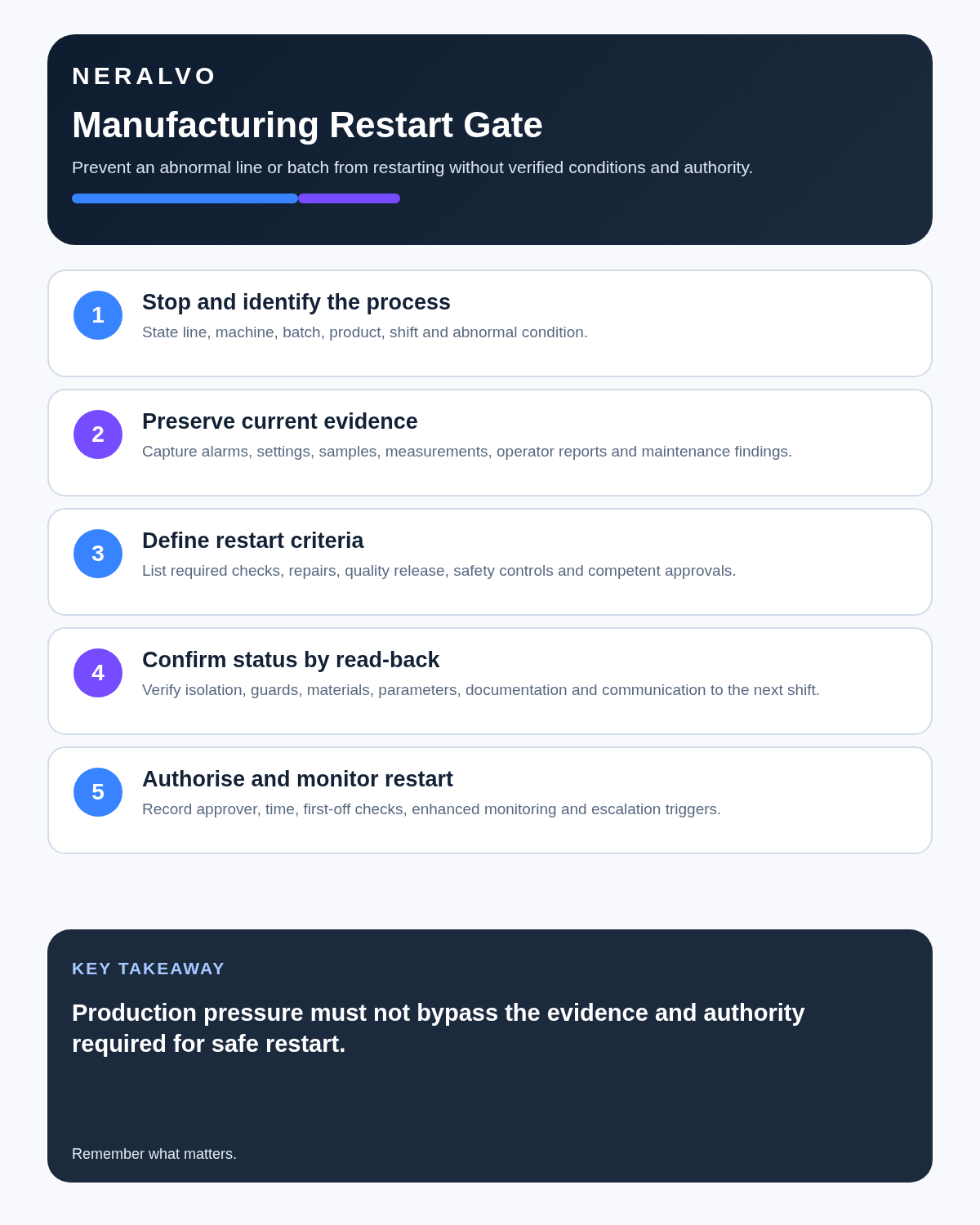
Use four restart gates
| Gate | Question | Authority |
|---|---|---|
| Safe condition | Are isolation, guards and immediate hazards controlled? | Site safety process and competent personnel |
| Technical condition | Has the fault been inspected, repaired and tested? | Authorised maintenance or engineering |
| Product condition | Is affected material identified, contained and dispositioned? | Quality process |
| Operational release | Are settings, people, instructions and monitoring ready? | Authorised production control |
An AI transcript, summary or recommendation has no authority at any gate.
Control the operation before recording
Do not handle the recorder while supervising moving equipment, lifting, material transfer, interventions, hazardous energy or emergency action. Stop, isolate, contain and protect people and product first. Record only from a safe permitted position.
Use the STOP note
- S — Station: site, line, machine, product and batch.
- T — Time and symptom: first event, alarm sequence and operating condition.
- O — Operational control: stop, isolation, quarantine, diversion or temporary restriction.
- P — Plan: technical owner, next check, evidence required and update time.
Say what was observed before naming a possible cause. “Alarm E27 displayed at 10:14” is evidence. “Motor failed” is a diagnosis requiring confirmation.
Separate production fact from explanation
- Verified output and downtime.
- Operator report.
- Direct observation.
- Control-system or instrument evidence.
- Quality result.
- Possible cause.
- Confirmed cause.
- Corrective action.
- Preventive action.
AI must not assign blame or turn the first plausible hypothesis into root cause.
Define the affected-product window
After an unexplained stoppage, process deviation or equipment condition, identify:
- Last known good point.
- First possible affected time.
- Product, batch, lot or serial range.
- Material still in process.
- Stock already moved, packed or dispatched.
- Checks, samples and records required.
- Containment and location.
- Person authorised to release, rework, reject or escalate.
A successful machine restart must never release questionable product automatically.
Build the downtime clock
| Time point | Event | Evidence |
|---|---|---|
| Start | First symptom, alarm or stop | Control-system, operator or production record |
| Containment | Machine and product made safe | Isolation and quarantine status |
| Diagnosis | Cause confirmed or hypothesis retained | Maintenance and engineering evidence |
| Repair | Work completed | Work order, parts and configuration |
| Verification | Safety, function and quality checks passed | Authorised results |
| Release | Line and product approved | Controlled sign-off |
Keep event time separate from the time information was reported or entered.
Create a shift-risk board
Prioritise:
- Immediate safety controls and active isolations.
- Quality containment and affected product.
- Stopped or restricted assets.
- Temporary repairs and expiry times.
- Material or tooling shortages.
- Staff competence, supervision or cover gaps.
- Customer-delivery and schedule risks.
- Actions, owners, deadlines and escalation triggers.
The next shift needs a verified operating picture, not a long transcript.
Record deviations precisely
State the product, batch, process step, parameter, approved limit, actual value, time, quantity affected, immediate containment, evidence source and quality authority. Preserve whether the information is observed, measured, reported or still under investigation.
Do not release material from a voice note or AI summary.
Close maintenance work properly
Record the exact asset and condition, fault evidence, work performed, parts and settings, guards and safety devices restored, inspection and functional test, remaining limitation, maintenance authority and supporting work-order reference.
“Machine running” is not the same as “repair verified under the required conditions.”
Control changeovers
Before release, confirm:
- Correct product, recipe, tooling and materials.
- Line clearance and previous product removal.
- Settings and controlled documents.
- Guards, sensors and interlocks.
- First-off or start-up checks.
- Quality approval.
- People briefed and competent.
- Known limitations and monitoring.
Use a controlled safe workflow
- Stop and isolate under the site procedure.
- Contain potentially affected product.
- Move to a safe location before recording.
- Create the STOP note.
- Correct asset, alarm, batch, quantity and time.
- Update production, maintenance, quality and incident records separately.
- Require evidence at each restart gate.
- Record temporary controls and their expiry.
- Carry every open status into handover.
- Check recurrence and corrective-action effectiveness.
Use precise status language
- Stopped: operation halted.
- Isolated: hazardous energy controlled through the authorised process.
- Under investigation: cause not established.
- Temporarily restored: operation returned with a stated limitation.
- Technically verified: repair passed required maintenance tests.
- Product contained: material remains unavailable pending quality decision.
- Operationally released: authorised production restart completed.
Do not allow “fixed” or “all clear” to hide unresolved quality, safety or recurrence risk.
Record in noisy environments safely
Create short notes away from machinery where possible. Spell specialist terms and state numbers digit by digit. Verify alarms, asset IDs, batch codes, values and units against the source. Never rely on transcription where one wrong word changes a safety or quality decision.
Monitor the restart
Define the monitored period, checks, responsible person and stop criteria. Review alarms, quality results, output, waste and the symptom that triggered the stoppage. A single successful cycle may not demonstrate effectiveness.
How NERALVO Halo fits manufacturing supervision
NERALVO Halo includes NOTE mode, supported CALL mode, 64GB local storage, up to 35 hours of recording and Bluetooth sync with DOWAY. DOWAY can create transcripts, summaries, speaker-separated notes, templates, translations, mind maps and exports, with one year of DOWAY Max included.
It may support safe-location downtime notes, approved briefings and handovers. It must not be operated in a danger zone or used as a production-control, quality, permit, isolation or restart-authorisation system.
Cloud software, a dedicated recorder or manual notes?
For Manufacturing Supervisors, the right answer changes with the setting. This matrix deliberately gives each method a situation where it can be the strongest choice.
| Situation | Best starting point | Reason |
|---|---|---|
| scheduled remote meetings | Cloud meeting software | Auto-join and central collaboration can remove routine admin. |
| in-person or mobile work | Dedicated recorder | Dedicated hardware suits movement, variable rooms and offline source capture. |
| recording is refused or prohibited | Manual notes or an approved alternative | A clear alternative respects policy and participant choice. |
| mixed online and offline work | Governed hybrid | One governed process prevents gaps between desk and field work. |
Frequently asked questions
Can a supervisor restart a line because the transcript says the fault was fixed?
No. Each authorised restart gate requires its own evidence and approval.
Does a successful restart release the product?
No. Product disposition remains a separate quality decision.
Can AI determine root cause?
No. It may organise evidence and hypotheses, but competent investigation must confirm cause.
Should temporary repairs be included in handover?
Yes. State the exact limitation, control, owner, expiry and permanent action.
Final manufacturing checklist
- Process safe before recording.
- Line, machine, product and batch correct.
- Alarm, output and downtime verified.
- Observation separated from hypothesis and cause.
- Affected-product window and containment clear.
- Maintenance work and tests documented.
- Safety, technical, quality and operational gates independently satisfied.
- Temporary controls have owners and expiry.
- Shift handover carries every open risk.
- Restart monitoring and effectiveness review completed.
- Official systems updated.
Bottom line: use voice capture to preserve the downtime timeline. Restart only after safety, maintenance, quality and operational gates have been independently satisfied.
Related guides
See the guides for health and safety managers, maintenance engineers and warehouse managers.
On this page
Related guides
See whether Halo fits this workflow
Review the NERALVO Halo specifications, included services, delivery information and current offer only after completing the guide.
Found an error or an out-of-date claim? Email support@neralvo.com with the article address and a supporting source.