The 60-second verdict
Quick answer: warehouse managers can use an AI voice recorder for approved safe-position notes, loading issues, stock discrepancies, shift handovers and improvement reviews, but every observation must identify the exact location, product or asset, evidence state and authorised system destination. Recording must never distract from vehicles, machinery, lifting or pedestrian safety.
Best fit: Warehouse Managers who need recoverable audio and human-verified notes in an authorised workflow. Use another method when: recording is prohibited, a participant declines or the approved process requires manual notes.
Evidence basis and limits
- Decision factors covered: Record only from a safe position; Use a precise warehouse anchor; Keep four status layers separate.
- Evidence rule: A claim earns weight only when the source, date, configuration and limitation are clear enough for a reader to check.
- Boundary: Examples and workflow recommendations must be tested with representative recordings, the intended users and the actual approval process before rollout.

Assess Halo against the warehouse managers workflow matrix can support approved observations and handovers. It is not a warehouse-management, inventory, incident, permit or vehicle-control system.
Record only from a safe position
Do not operate a recorder while driving, using powered equipment, loading, unloading, lifting, crossing vehicle routes or working in a location that requires full attention. Apply immediate safety, isolation, spill, fire or emergency controls first.
Move to a safe designated area before dictating detailed notes.
Use a precise warehouse anchor
- Site and building.
- Zone, aisle, bay, level or door.
- SKU, pallet, tote, batch, lot or serial reference.
- Vehicle, trailer, dock or equipment ID.
- Work order, shipment, receipt or task reference.
- Date, time and shift.
Repeat the anchor whenever the note moves to a different location or item.
Keep four status layers separate
| Layer | Example | Control |
|---|---|---|
| Physical condition | Packaging torn or pallet leaning | Direct observation and photo reference |
| System status | Stock shown as available | WMS or ERP source and timestamp |
| Operational status | Move, load, receive or pick stopped | Authorised instruction |
| Quality disposition | Quarantine, release, rework or reject | Quality authority and evidence |
Do not let an AI summary convert “damaged packaging observed” into “stock rejected” or “system says available” into “safe to ship.”
Use the DOCK note
- D — Door: dock, trailer, vehicle and appointment.
- O — Order: receipt, shipment, supplier, customer or route.
- C — Condition: seal, load, packaging, temperature and visible damage.
- K — Keep control: stop, isolate, quarantine, escalate or proceed.
Use a stock-discrepancy record
| Field | Required detail |
|---|---|
| Location | Exact physical location |
| Item | SKU, batch, serial or pallet |
| Expected | Quantity and source system |
| Observed | Physical quantity or condition |
| Difference | Shortage, surplus, wrong item or status conflict |
| Evidence | Count, scan, photo, document or witness |
| Immediate control | Hold, recount, restrict movement or escalate |
| Owner | Person responsible for investigation and correction |
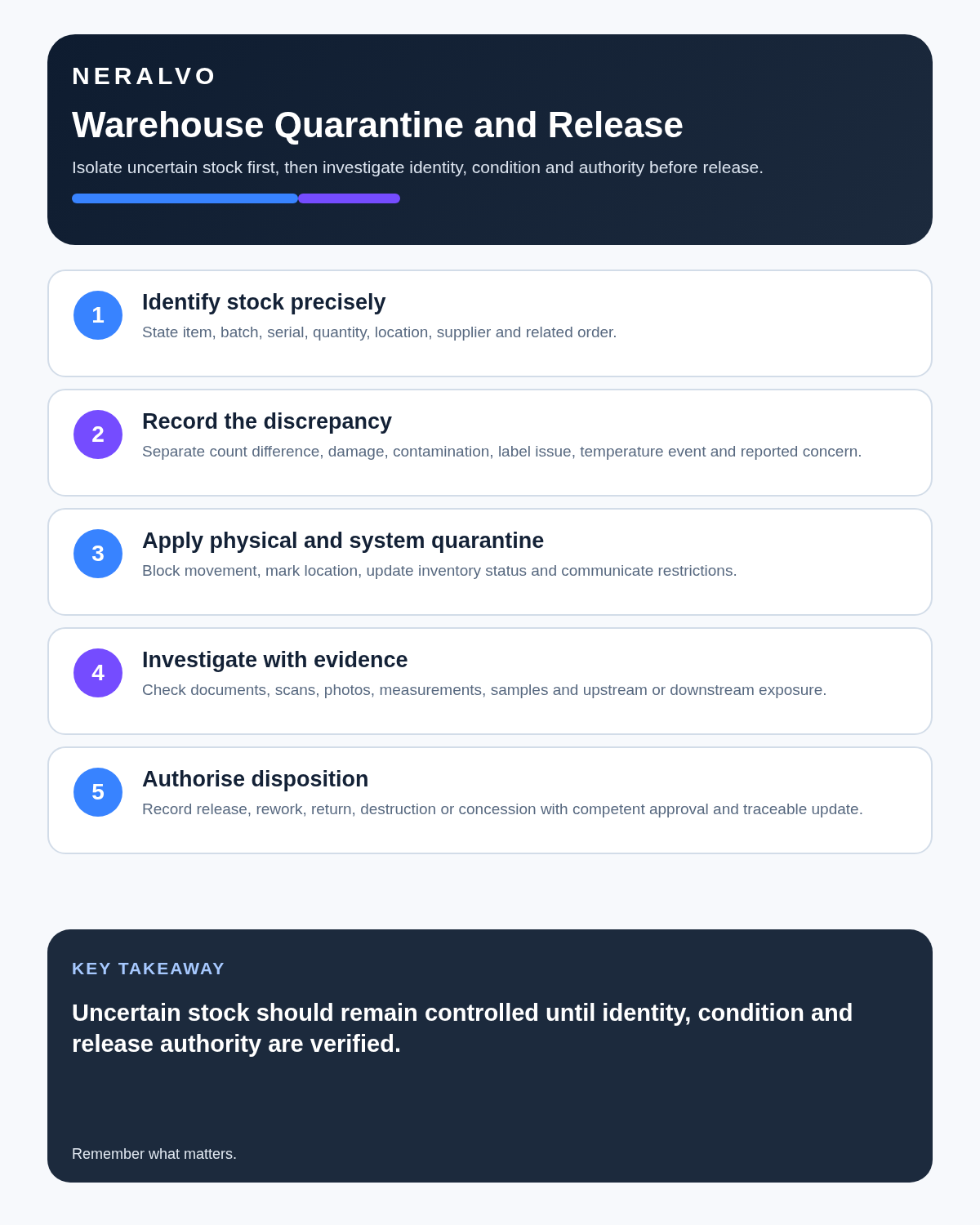
Control damaged and quarantined stock
Record:
- Exact item, quantity and location.
- Observed condition and packaging state.
- Photographs or inspection reference.
- Whether contents are exposed or affected.
- Immediate isolation or movement restriction.
- System hold or quarantine status.
- Quality or customer decision required.
- Owner, deadline and final disposition.
Do not move, release or dispose of stock from an AI summary.
Strengthen receiving and loading records
For receipts and dispatches, verify:
- Vehicle, trailer and seal details.
- Appointment and document references.
- Supplier, customer and route.
- Product, quantity and batch.
- Temperature or condition evidence where required.
- Damage, shortage or overage.
- Photos, scans and signatures.
- Acceptance, rejection, hold or partial-receipt status.
- Person authorised to proceed.
Speech transcription can confuse numbers, door references and batch codes. Check the controlled source.
Use a controlled shift handover
| Handover area | Required content |
|---|---|
| Safety | Active hazards, isolations, blocked routes and temporary controls |
| Operations | Backlog, priority loads, staffing and equipment restrictions |
| Stock | Quarantine, discrepancies, cycle-count or location issues |
| Vehicles and docks | Late arrivals, seal issues, damage and waiting decisions |
| Quality | Inspection, disposition or release pending |
| Actions | Owner, deadline, dependency and next update |
The next shift should receive a concise verified operating picture, not raw audio.
Control reverse logistics and returns
For returned goods, record:
- Customer, return and product reference.
- Quantity and condition.
- Reason reported.
- Evidence and inspection.
- Potential contamination, tampering or safety risk.
- Quarantine location.
- Disposition authority.
- Credit, replacement or investigation action.
Keep customer reason, warehouse observation and quality conclusion separate.
Handle equipment and contractor issues
Record the exact asset, reported symptom, observed condition, isolation or restriction, work requested, contractor finding, repair, post-work test, remaining limitation and authorised return-to-service status.
A contractor attendance or part replacement does not automatically prove the equipment is ready for use.
Investigate repeated problems
Repeated damage, shortages, scan failures, congestion or missed loads may indicate:
- Layout or capacity limits.
- Packaging weakness.
- Supplier or carrier performance.
- Training or supervision gaps.
- System or master-data errors.
- Equipment condition.
- Conflicting targets or workload.
- Uncontrolled workarounds.
Separate the observed pattern from the proposed cause until evidence supports it.
Use a controlled note-to-system workflow
- Control immediate safety and product risk.
- Move to a safe position.
- State the warehouse anchor.
- Record physical, system, operational and quality status separately.
- Correct quantities, codes, locations and timestamps.
- Link photographs, scans, documents and system records.
- Update the WMS, incident, maintenance, quality or task system.
- Assign one owner, deadline and closure evidence.
- Verify the physical and system outcome.
- Delete temporary audio under policy.
Protect worker and commercial information
Do not leave a recorder running as continuous workplace monitoring. Keep welfare, disciplinary and health information out of general shift notes. Restrict customer, supplier, security and stock information to approved users.
Do not dictate passwords, access codes, payment data or sensitive security arrangements.
How NERALVO Halo fits warehouse management
NERALVO Halo includes NOTE mode, supported CALL mode, 64GB local storage, up to 35 hours of recording and Bluetooth sync with DOWAY. DOWAY can create transcripts, summaries, speaker-separated notes, templates, translations, mind maps and exports, with one year of DOWAY Max included.
Use it only from safe stationary positions and transfer verified outputs into the warehouse systems that control stock and work.
Cloud software, a dedicated recorder or manual notes?
For Warehouse Managers, the right answer changes with the setting. This matrix deliberately gives each method a situation where it can be the strongest choice.
| Situation | Best starting point | Reason |
|---|---|---|
| scheduled remote client meetings | Cloud meeting software | Auto-join and central collaboration can remove routine admin. |
| in-person visits and travel | Dedicated recorder | Dedicated hardware suits movement, variable rooms and offline source capture. |
| a client declines or policy requires manual notes | Manual notes or an approved alternative | A clear alternative respects policy and participant choice. |
| mixed CRM and field work | Governed hybrid | One governed process prevents gaps between desk and field work. |
Frequently asked questions
Can AI decide whether damaged stock is usable?
No. The authorised quality or operational process must make the disposition decision.
Does a WMS quantity prove the physical stock exists?
No. Compare the system record with verified physical evidence.
Can a contractor visit close an equipment issue?
No. Required testing and authorised return-to-service must be recorded.
Should every shift conversation be recorded?
No. Use focused approved notes for material exceptions and handover actions.
Final warehouse checklist
- Recording made from a safe position.
- Exact location, item, asset or shipment identified.
- Physical, system, operational and quality status separated.
- Stock discrepancies and damage linked to evidence.
- Quarantine and disposition authority clear.
- Receiving, loading and reverse-logistics records complete.
- Shift handover carries all open risks and actions.
- Equipment restrictions and return-to-service status explicit.
- Repeated patterns investigated.
- Authoritative systems updated and closure verified.
Bottom line: a warehouse voice note creates value only when it is safe, location-specific and converted into a controlled stock, safety, quality or maintenance record with verified closure.
Related guides
See the guides for logistics coordinators, manufacturing supervisors and operations managers.
On this page
Related guides
See whether Halo fits this workflow
Review the NERALVO Halo specifications, included services, delivery information and current offer only after completing the guide.
Found an error or an out-of-date claim? Email support@neralvo.com with the article address and a supporting source.