The 60-second verdict
Quick answer: small business owners can use an AI voice recorder as a deliberate voice inbox for customer requests, supplier updates, operational reminders, process walkthroughs and ideas. The value comes from clearing every useful note into the trusted system that owns it before it becomes another backlog.
Best fit: Small Business Owners who need recoverable audio and human-verified notes in an authorised workflow. Use another method when: recording is prohibited, a participant declines or the approved process requires manual notes.
Evidence basis and limits
- Decision factors covered: Why voice capture creates a second inbox; Use five operational lanes; The capture → classify → verify → route → schedule → close workflow.
- Evidence rule: The decision is based on the complete capture-to-action workflow, not a single feature or marketing accuracy percentage.
- Boundary: Examples and workflow recommendations must be tested with representative recordings, the intended users and the actual approval process before rollout.

View Halo specifications for small business owners use can support fast deliberate capture. It should not become the only place where customer commitments, money decisions or legal obligations exist.
Why voice capture creates a second inbox
Recording is faster than typing, which makes it easy to create more notes than the owner can process. Without a daily routine, ideas mix with promises, tasks, expenses, customer information and confidential details.
Use five operational lanes
| Lane | Example | Final destination |
|---|---|---|
| Customer | Requirements, complaint or agreed next step | CRM, quote or complaint log |
| Supplier | Price, lead time or delivery change | Purchase order or supplier record |
| Operations | Handover, stock issue or process problem | Task system or daily operations board |
| Process | Spoken walkthrough of a repeated task | Controlled SOP draft |
| Idea | Product, marketing or improvement thought | Idea backlog with next experiment |
The capture → classify → verify → route → schedule → close workflow
| Stage | Question | Output |
|---|---|---|
| Capture | What is the thought or event? | Short source note |
| Classify | Customer, supplier, operations, process or idea? | Correct lane and status |
| Verify | Which names, amounts, dates or facts need checking? | Reliable content |
| Route | Which trusted system owns it? | Authoritative destination |
| Schedule | Who acts and by when? | Execution |
| Close | Can the temporary recording be deleted? | Empty inbox |
Start every private note with a destination and status
Say “CRM note”, “supplier record”, “task”, “SOP draft” or “idea” before dictating. Then state whether the point is an idea, request, promise, decision, expense, problem or reference.
A useful note includes:
- Customer, supplier, project or process reference.
- What happened.
- Why it matters.
- What needs checking.
- One next action.
- Owner and deadline.
Separate thoughts from commitments
| Statement | Status |
|---|---|
| “Could offer Saturday delivery” | Idea |
| “Check courier cost by Thursday” | Task |
| “Told customer we will deliver Saturday” | Commitment |
| “Saturday service approved at £12” | Decision |
AI should never turn a possibility into a promise.
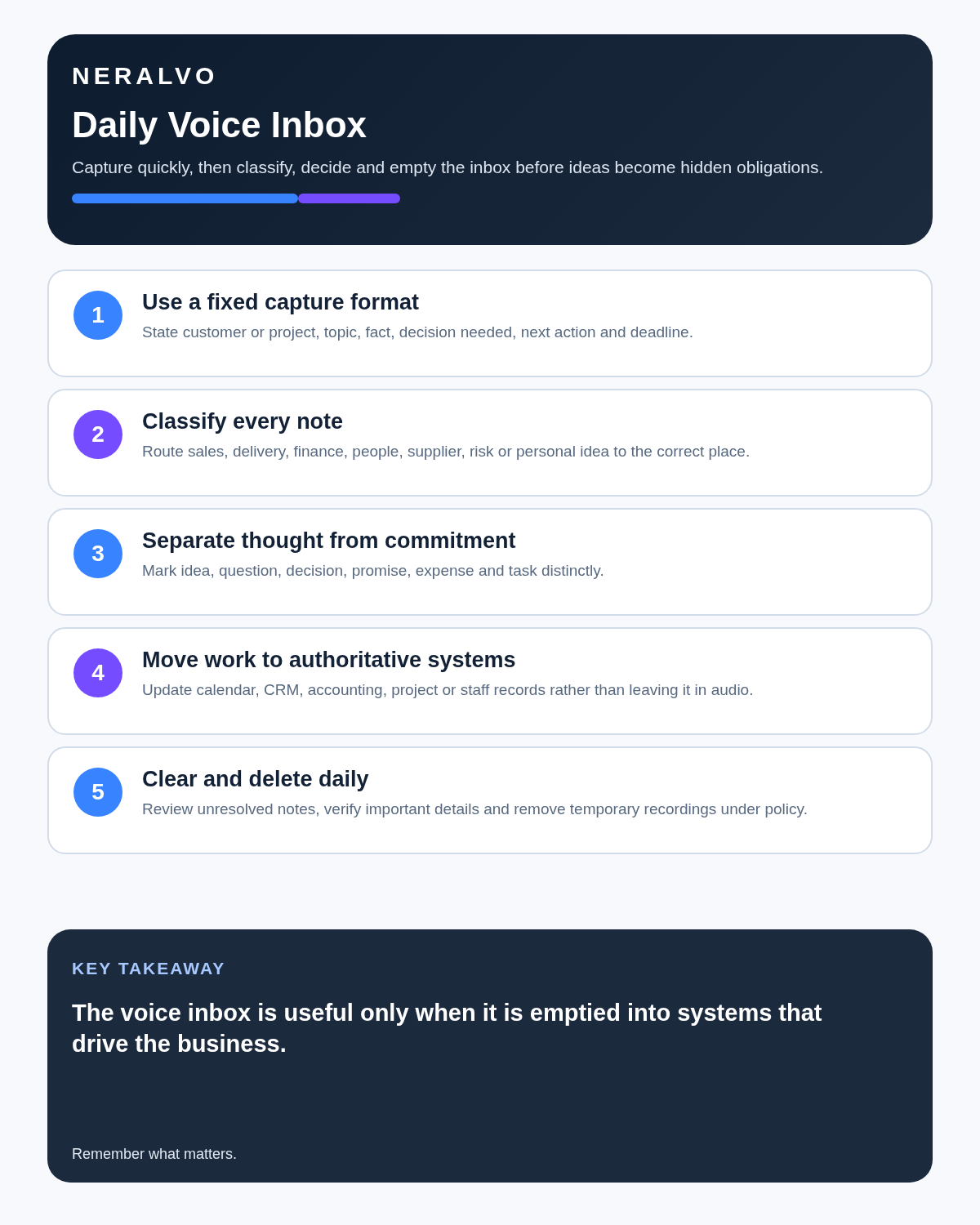
Use a daily voice-inbox clearance
- Open only today’s unprocessed recordings.
- Process urgent commitments and risks first.
- Generate the transcript or summary.
- Correct names, prices, quantities, addresses and dates.
- Remove payment credentials, passwords and irrelevant personal detail.
- Route each item into its final system.
- Create tasks with one owner and deadline.
- Mark the source processed.
- Delete or retain it under the business policy.
Do not start tomorrow with yesterday’s customer instructions still trapped in audio.
Customer calls: write the confirmation, not the transcript
For an approved customer recording, the useful output is usually a short checked confirmation:
- What the customer requested.
- Specification, quantity or scope.
- Price or estimate status.
- Delivery or appointment date.
- Information still needed.
- What each party will do next.
Verify every material detail before sending. A transcript may confuse “fifteen” and “fifty” while still producing a fluent summary.
Complaints need a source-labelled chronology
| Field | Record |
|---|---|
| Customer says | Their attributed account |
| Business evidence | Orders, messages, photographs or staff records |
| Unresolved | Points still disputed or unknown |
| Requested remedy | What the customer wants |
| Agreed response | What the business has committed to do |
| Owner and deadline | Who resolves it and by when |
Do not let an AI summary present the customer’s allegation or the business’s initial explanation as a verified finding.
Supplier calls: confirm commercial terms in writing
A checked transcript may remind the owner that a supplier mentioned a new minimum order or delayed shipment. It should not replace the purchase order, revised quotation or contract variation.
Verify product code, unit price, VAT status, minimum quantity, delivery date, payment terms, exclusions, expiry and responsible contact before updating the official record.
Turn one process walkthrough into a tested SOP
- Choose one repeatable task.
- State the correct finished outcome.
- Record a real walkthrough.
- Convert speech into numbered actions.
- Add permissions, safety checks, decision points and exceptions.
- Ask another person to follow the draft.
- Correct unclear or missing steps.
- Approve and version the final SOP.
- Set a review date.
A shortcut obvious to an experienced owner may be invisible to a new employee. Testing exposes those hidden assumptions.
Route notes into real systems
- Customer facts and follow-up → CRM.
- Orders and fulfilment → commerce or order system.
- Tasks and deadlines → task manager or calendar.
- Money and receipts → accounting system.
- Supplier commitments → purchasing record.
- Policies and procedures → controlled documents.
- Staff matters → restricted HR process.
What must never enter the voice inbox?
- Full payment-card numbers or security codes.
- Banking passwords or one-time passcodes.
- Account recovery keys.
- Unnecessary health or family information.
- Secret employee monitoring.
- Information the business is not permitted to upload to the selected AI service.
Use business-owned accounts
Recordings should not disappear when an employee leaves or remain in a former staff member’s personal app account. Define approved devices, account ownership, workspace access, export permissions, offboarding and deletion.
Apply privacy in operational terms
For recordings involving another person, define a valid purpose, tell them what is happening, capture only what is needed, restrict access and keep it only as long as justified. Review the ICO’s current data-protection principles.
Review recurring themes weekly
Tag repeated customer questions, complaints, operational failures and product ideas. Turn repeated patterns into one owned improvement project rather than recording the same frustration every week.
How NERALVO Halo fits small business owners
NERALVO Halo includes NOTE mode, supported CALL mode, 64GB local storage, up to 35 hours of recording and Bluetooth sync with DOWAY. DOWAY provides transcripts, summaries, speaker-separated notes, templates, translations, mind maps and exports, with one year of DOWAY Max included.
The owner remains responsible for checking and routing every useful output into CRM, accounting, tasks, purchasing and operations.
Cloud software, a dedicated recorder or manual notes?
For Small Business Owners, the right answer changes with the setting. This matrix deliberately gives each method a situation where it can be the strongest choice.
| Situation | Best starting point | Reason |
|---|---|---|
| scheduled remote meetings | Cloud meeting software | Native remote-meeting workflows can be more efficient here. |
| in-person or mobile work | Dedicated recorder | A separate battery and recoverable local source improve resilience. |
| recording is refused or prohibited | Manual notes or an approved alternative | Manual notes are the correct control when recording is unavailable. |
| mixed online and offline work | Governed hybrid | A hybrid can combine automation with reliable physical capture. |
Frequently asked questions
Should every idea become a task?
No. Review, combine, test or discard ideas deliberately.
Can the recorder replace a CRM?
No. Customer history and commitments need a structured shared system.
Should full customer transcripts be kept?
Usually not. Keep the concise verified record required for the business purpose.
How long should recordings remain?
Only until verified information has been routed and the justified retention purpose ends.
Final voice-inbox checklist
- Every note starts with a lane and status.
- Customer, supplier, project or process anchor included.
- Idea separated from promise and decision.
- Names, amounts, terms and dates verified.
- Customer and complaint records are source-labelled.
- Supplier commitments confirmed in writing.
- SOPs tested before approval.
- Trusted system updated.
- Owner and deadline assigned.
- Business account, privacy and deletion controlled.
- Inbox cleared daily.
Bottom line: the recorder should not become a sixth business system. Capture deliberately, clear the voice inbox daily and move every verified item into the systems the business already trusts.
Related guides
See the guides for operations managers, freelancers and customer service teams.
On this page
More in this topic: Management and business workflows
Show 9 closely related guides
- AI Voice Recorder for Management Consultants: Better Interviews, Workshops and Evidence
- AI Voice Recorder for Account Managers: Clearer Client Commitments and CRM Notes
- AI Voice Recorder for Operations Directors: Better Reviews, Incidents and Action Closure
- AI Voice Recorder for Corporate Development: Controlled Diligence and Deal Decisions
- AI Voice Recorder for Programme Managers: Stronger Governance and Dependencies
- AI Voice Recorder for Bid Managers: Better Win Themes and Review Actions
- AI Voice Recorder for Sustainability Managers: Better Audits, Claims and Action Plans
- All-Day AI Voice Recorder: Battery, Storage and Workflow Test
- AI Voice Recorder for Retail Managers: Close Every Store-Walk Action
Related guides
See whether Halo fits this workflow
Review the NERALVO Halo specifications, included services, delivery information and current offer only after completing the guide.
Found an error or an out-of-date claim? Email support@neralvo.com with the article address and a supporting source.