The 60-second verdict
Quick answer: capture to-do items with an AI voice recorder by saying the action, owner, deadline and context clearly, then processing the recording into a trusted task system and deleting the source when it is no longer needed.
Decision focus: use the method below only where it produces a recoverable source, a verifiable output and a clear next action. If one of those fails, change the workflow rather than trusting a polished summary.
Evidence basis and limits
- Decision factors covered: Use a spoken task formula; Start with a clear verb; Separate task types.
- Evidence rule: The decision is based on the complete capture-to-action workflow, not a single feature or marketing accuracy percentage.
- Boundary: Examples and workflow recommendations must be tested with representative recordings, the intended users and the actual approval process before rollout.
Voice capture is fast, but a folder of vague recordings creates another backlog. A device such as View Halo specifications against the evidence checklist is most useful when every spoken reminder has a defined route into the system where work is managed.
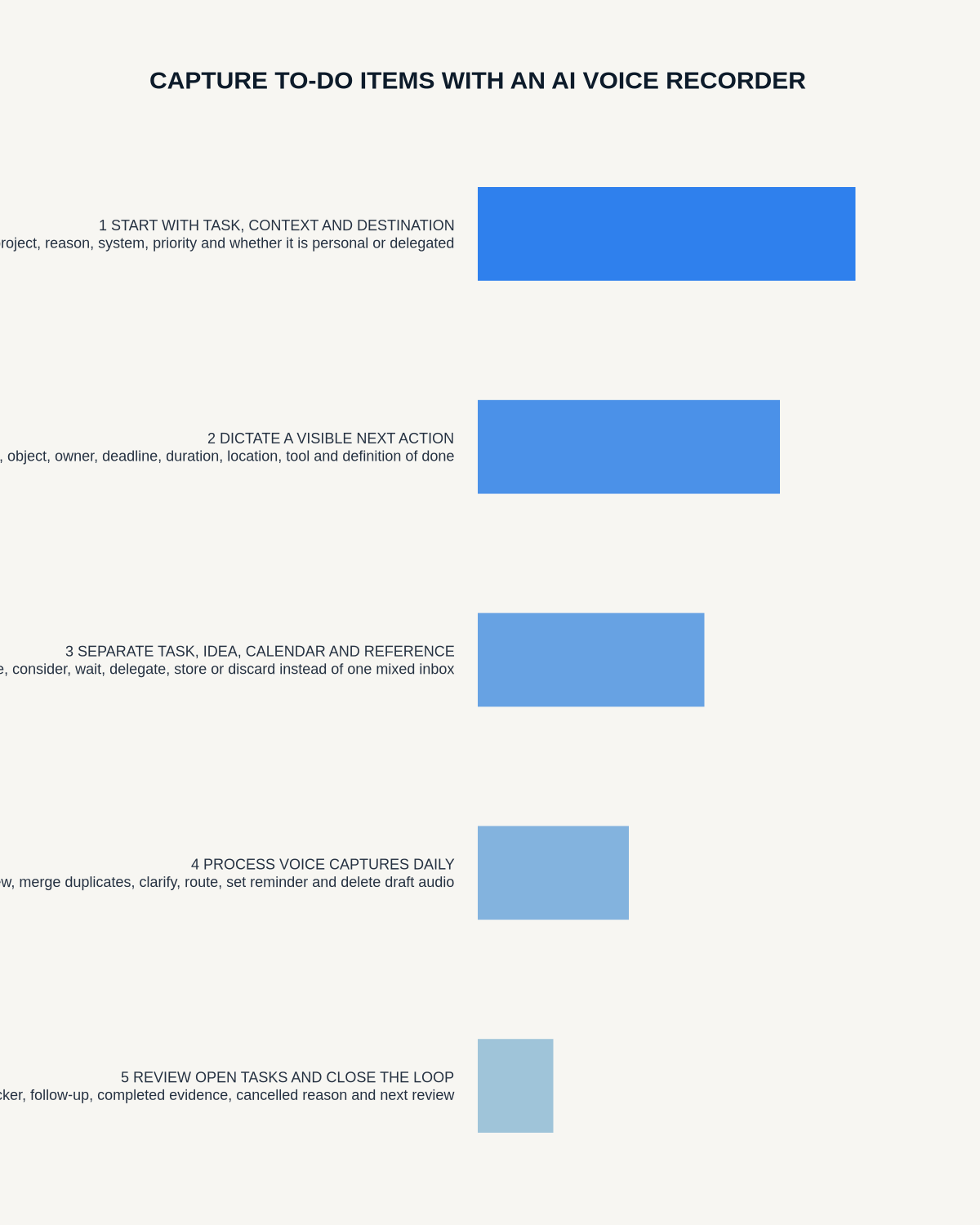
Use a spoken task formula
Action + owner + deadline + context + dependency.
Example: “Action: Priya to send the revised supplier quote by 3pm Thursday. Context: compare delivery terms before approval. Dependency: final quantity from operations.”
Start with a clear verb
“Sort website” and “follow up customer” are vague. Use visible outcomes such as “rewrite the checkout error message” or “email the customer with the revised delivery date.”
Separate task types
- Action: work to complete.
- Waiting: something another person owes.
- Decision: a choice requiring evidence or approval.
- Idea: a possibility for later review.
- Calendar: an event tied to a fixed time.
- Reference: useful information with no action.
Process voice notes daily
- Review new recordings.
- Delete accidental and duplicate notes.
- Clarify vague actions.
- Add the final owner, deadline and priority.
- Move tasks into the approved system.
- Schedule fixed-time events in the calendar.
- Delete or retain the source under the defined rule.
Do not manage work inside a transcript
A transcript is a capture source, not a task manager. It cannot reliably show assignment, status, reminders, dependencies or completion. Move approved actions into the project, CRM or task platform.
Confirm tasks from meetings
Check later corrections and reassignments before creating the task. A suggested action is not a commitment until the owner accepts it or the authorised manager assigns it.
Workflow choice matrix for How to Capture To-Do Items with an AI Voice Recorder
Choose the method that protects the source and reduces downstream correction. The table makes the non-hardware options explicit.
| Condition | Preferred route | Why |
|---|---|---|
| Repeatable remote work with approved integrations | Cloud software | Automation and central collaboration may outweigh device independence. |
| In-person, mobile or unreliable-connectivity work | Dedicated recorder | Independent capture and a recoverable local source are usually more resilient. |
| Recording is refused, prohibited or unnecessary | Manual notes / no recording | Respecting the boundary is the correct workflow, not a product failure. |
| High-risk or mixed work | Governed hybrid | Separate capture, review, approval and retention rather than trusting one tool. |
Frequently asked questions
What if no deadline was stated?
Leave the date unconfirmed and create a separate action to agree it rather than inventing one.
Can AI automatically create tasks?
It can suggest them, but the owner, wording, deadline and status should be verified.
How long should a voice task note be?
Usually a few seconds. One action per note is easier to process than a long mixed recording.
Useful resources
- Association for Project Management: action planning
- ICO data-protection principles
- View Halo specifications against the evidence checklist
To-do capture checklist
- One clear task recorded
- Action starts with a verb
- Owner confirmed
- Deadline or review date added
- Dependency preserved
- Task moved to the trusted system
- Source processed and controlled
Voice-task processing and backlog toolkit
| Capture type | Destination | Completion rule |
|---|---|---|
| Next action | Task manager | Visible outcome completed |
| Waiting item | Follow-up list | Response received or chased |
| Fixed event | Calendar | Scheduled with required preparation |
| Decision | Decision queue | Evidence and authority resolved |
| Idea | Backlog | Reviewed, promoted or deleted |
Two-minute processing rule
Clarify the verb, define the output, assign the owner, set a real date or review point, preserve dependencies and route the item. If the note cannot be clarified, create one question rather than inventing a task.
Backlog controls
- Process the voice inbox daily.
- Keep one trusted task system.
- Delete duplicates and completed source notes.
- Review waiting items weekly.
- Limit active priorities.
- Archive ideas with no current value.
NERALVO Halo workflow
Use one short NOTE recording per action where practical, begin with “task,” “waiting,” “decision” or “idea,” and sync during the daily processing window. DOWAY can suggest tasks, but ownership and dates must be verified before transfer.
Related AI voice recorder guides
Workflow map
Visual map for How to Capture To-Do Items with an AI Voice Recorder
- Define the decisionState the question, required output and acceptance rule.
- Capture the sourceUse the approved route and preserve context, identity and limitations.
- Verify material detailsReplay or check names, numbers, negatives, decisions and actions.
- Move into the real recordAssign an owner, retain evidence and apply the deletion rule.
On this page
Related guides
See whether Halo fits this workflow
Review the NERALVO Halo specifications, included services, delivery information and current offer only after completing the guide.
Found an error or an out-of-date claim? Email support@neralvo.com with the article address and a supporting source.