The 60-second verdict
Quick answer: photographers can use an AI voice recorder for authorised client briefs, location scouts, revision calls and private post-shoot notes, but the recording must be converted into controlled deliverables, shot plans, production documents, releases, licences and approvals.
Decision focus: use the method below only where it produces a recoverable source, a verifiable output and a clear next action. If one of those fails, change the workflow rather than trusting a polished summary.
Evidence basis and limits
- Decision factors covered: Build the brief in five layers; Label the status of every request; Translate adjectives into observable criteria.
- Evidence rule: A claim earns weight only when the source, date, configuration and limitation are clear enough for a reader to check.
- Boundary: Examples and workflow recommendations must be tested with representative recordings, the intended users and the actual approval process before rollout.

Apply this guide before assessing NERALVO Halo can preserve creative and logistical context while image files, contracts, call sheets and asset systems remain authoritative.
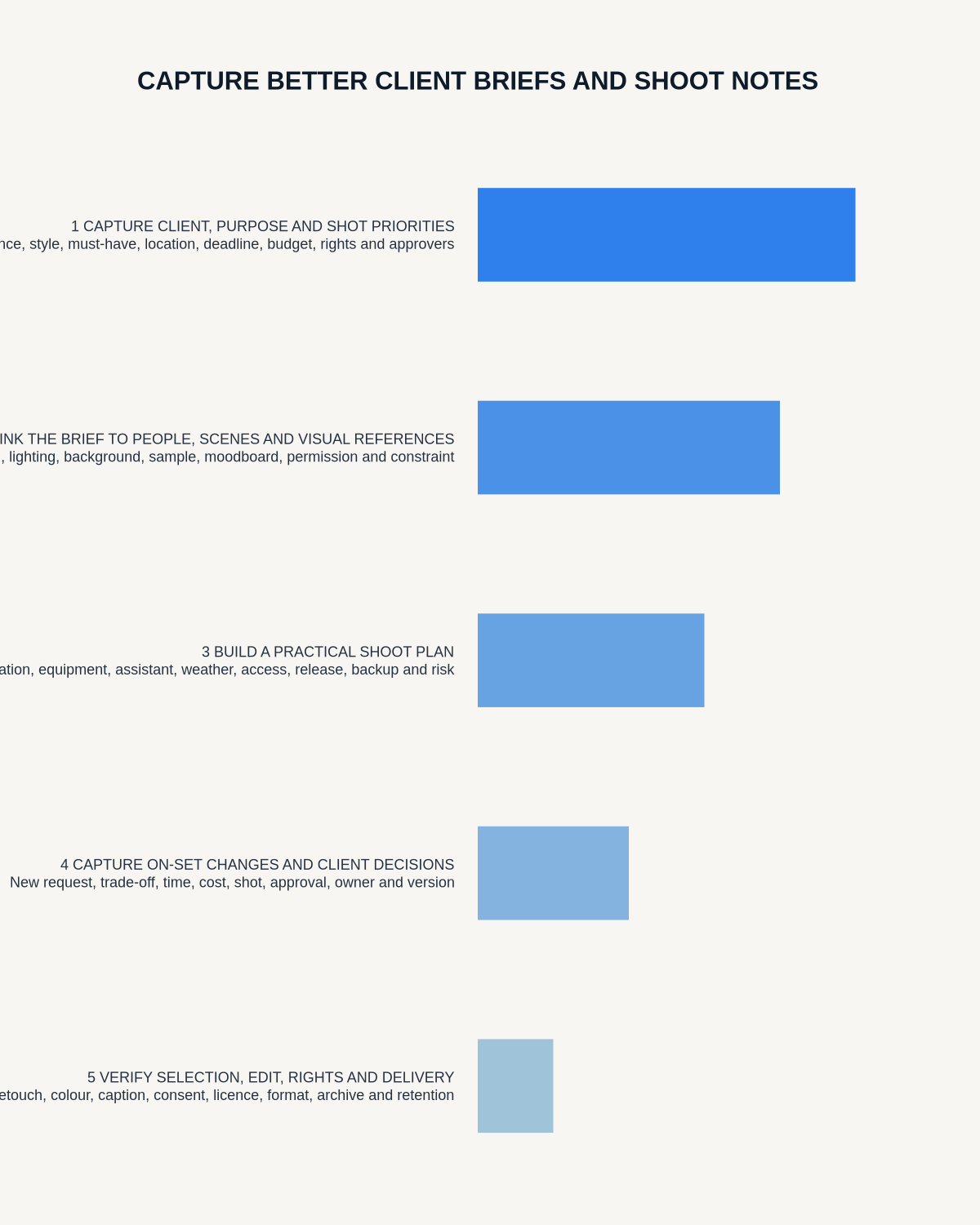
Build the brief in five layers
| Layer | Questions to resolve | Controlled output |
|---|---|---|
| Outcome | Who is the audience and what should the images achieve? | Purpose statement |
| Deliverables | Which images, formats, crops and quantities are required? | Deliverables schedule |
| Visual direction | What should the work feel like and which references apply? | Creative brief or mood board |
| Production | Who, where, when, access, equipment, safety and contingency? | Call sheet and production plan |
| Rights and approval | Usage, territory, duration, releases and final sign-off? | Contract, licences and approval record |
Label the status of every request
- Mandatory: required deliverable or condition.
- Preferred: desired where practical.
- Idea: creative possibility for exploration.
- To confirm: unresolved fact, permission or decision.
- Out of scope: excluded unless separately approved.
This prevents a conversational suggestion from entering the shoot as a fixed requirement.
Translate adjectives into observable criteria
Clients may request images that feel natural, premium, authentic or energetic. Ask:
- Which existing image best represents the direction?
- What would make the result feel wrong?
- Which product detail or behaviour must be visible?
- Is the priority brand consistency, conversion, documentation or editorial impact?
- Who has final creative approval?
Preserve the client’s wording, then convert it into framing, lighting, styling, behaviour, colour, detail and acceptance criteria.
Create a shot architecture
- Hero: primary image carrying the campaign or story.
- Proof: details demonstrating product, process, people or place.
- Variation: orientation, crop, expression, styling or channel alternatives.
- Coverage: supporting images needed for layout, sequence or documentation.
- Contingency: alternatives for weather, access, talent or product failure.
Add owner, location, subject, format and approval requirement to every must-have item. The final architecture belongs in the production system, not only in the transcript.
Use a structured scout route
- Arrival, parking and equipment route.
- Access times and named contact.
- Natural and controllable light.
- Power, charging and cable routes.
- Public traffic and privacy.
- Background, reflections and branding.
- Weather exposure and backup position.
- Changing, holding and secure storage.
- Permissions, restrictions and unresolved questions.
Separate direct observation from confirmation. “Rear entrance appears suitable” should become an action to verify permission, dimensions and access.
Control consent, releases and usage rights
A spoken discussion does not replace a model release, property release, location agreement or image licence. Confirm:
- Subject and property permissions.
- Channels and media.
- Territory and duration.
- Exclusivity.
- Permitted edits and AI use where relevant.
- Embargo and confidentiality.
- Approval rights.
- Special protections for children and vulnerable people.
Record the complete production plan
Capture:
- People, products, props and owners.
- Location and access.
- Schedule and call times.
- Equipment and backup.
- Styling, hair, makeup and wardrobe.
- Weather and technical contingency.
- Safety controls.
- File naming and backup process.
- Client attendance and approval route.
Prioritise safety
Do not handle the recorder while working near traffic, water, heights, crowds, animals or active equipment. Secure the situation first. Record from a safe stable position or make a private note afterwards.
Control on-set changes
For any new request, record:
- Exact asset or scene affected.
- Requested change.
- Reason and priority.
- Effect on time, cost, deliverables and rights.
- Who requested and approved it.
- Whether it replaces an earlier instruction.
- Required written confirmation.
Do not let a transcript turn an on-set idea into an accepted scope change without authority.
Control revision calls by asset and version
Every instruction should identify:
- Asset name or gallery reference.
- Current version.
- Requested change.
- Reason for the change.
- Whether it is correction, preference or new scope.
- Owner and due date.
- Approval required.
Clarify phrases such as “use the second one” or “make it warmer” before work begins.
Use a post-shoot closeout
- Confirm cards, file counts and backups.
- Record missing, compromised or replacement shots.
- Link client and production changes.
- Verify names, product references and rights restrictions.
- Set selection, retouching and delivery actions.
- Confirm who approves selects and final files.
- Apply archive and retention rules.
Use a pre-shoot gate
- Purpose and audience clear.
- Must-have images ranked and measurable.
- Visual references interpreted, not merely attached.
- Location access and contingency confirmed.
- People, products and props have owners.
- Usage and release requirements documented.
- Budget and scope questions resolved.
- Approval route and delivery format known.
Protect client and image information
Private events, homes, minors, employees, embargoed products and unreleased campaigns require controlled access. A transcript can reveal more than the final brief. Use approved accounts, minimise identifiers and restrict raw recordings to the project team.
How NERALVO Halo fits photography
NERALVO Halo includes NOTE mode, supported CALL mode, 64GB local storage, up to 35 hours of recording and Bluetooth sync with DOWAY. DOWAY can create transcripts, summaries, speaker-separated notes, templates, translations, mind maps and exports, with one year of DOWAY Max included.
It may support authorised consultations, scouts and private production observations. It is not a release, contract, asset-management, camera-backup or approval system.
Workflow choice matrix for How Photographers Can Capture Better Client Briefs and Shoot Notes
Choose the method that protects the source and reduces downstream correction. The table makes the non-hardware options explicit.
| Condition | Preferred route | Why |
|---|---|---|
| High-risk or mixed work | Governed hybrid | Separate capture, review, approval and retention rather than trusting one tool. |
| Recording is refused, prohibited or unnecessary | Manual notes / no recording | Respecting the boundary is the correct workflow, not a product failure. |
| In-person, mobile or unreliable-connectivity work | Dedicated recorder | Independent capture and a recoverable local source are usually more resilient. |
| Repeatable remote work with approved integrations | Cloud software | Automation and central collaboration may outweigh device independence. |
Frequently asked questions
Can a spoken usage discussion replace a licence?
No. Complete the appropriate written agreement.
Can AI create the final shot list automatically?
It can help organise requests, but priorities, feasibility, creative judgement and contractual scope require review.
Should live audio be recorded throughout the shoot?
Usually no. Focused safe notes and controlled brief updates are more useful and less intrusive.
What if the client requests extra images on set?
Record and confirm scope, cost, timing, rights and approval before treating the request as committed work.
Final photography checklist
- Purpose and usage verified.
- Mandatory, preferred and optional requests separated.
- Shot architecture ranked.
- Location and safety controls confirmed.
- Releases and licences completed.
- On-set changes status-labelled and approved.
- Feedback linked to asset and version.
- Files backed up and gaps identified.
- Delivery and approval route defined.
- Client data and source audio controlled.
Bottom line: the best photography voice note preserves why an image is needed, how it may be used and what production action makes it deliverable, then routes every decision into controlled documents and assets.
Related guides
See the guides for designers, marketing managers and content creators.
On this page
Related guides
See whether Halo fits this workflow
Review the NERALVO Halo specifications, included services, delivery information and current offer only after completing the guide.
Found an error or an out-of-date claim? Email support@neralvo.com with the article address and a supporting source.