The 60-second verdict
Quick answer: videographers can use an AI voice recorder for approved client briefings, contributor interviews, location scouts, production markers and edit calls, but the raw transcript must feed controlled production records rather than replace releases, call sheets, media logs or versioned approvals.
Decision focus: use the method below only where it produces a recoverable source, a verifiable output and a clear next action. If one of those fails, change the workflow rather than trusting a polished summary.
Evidence basis and limits
- Decision factors covered: Use a three-record architecture; Turn the client briefing into a message map; Handle contributor interviews as evidence, not text inventory.
- Evidence rule: Claims are weighted by consequence: capture failure, changed meaning, access and recovery matter more than polished wording.
- Boundary: Examples and workflow recommendations must be tested with representative recordings, the intended users and the actual approval process before rollout.

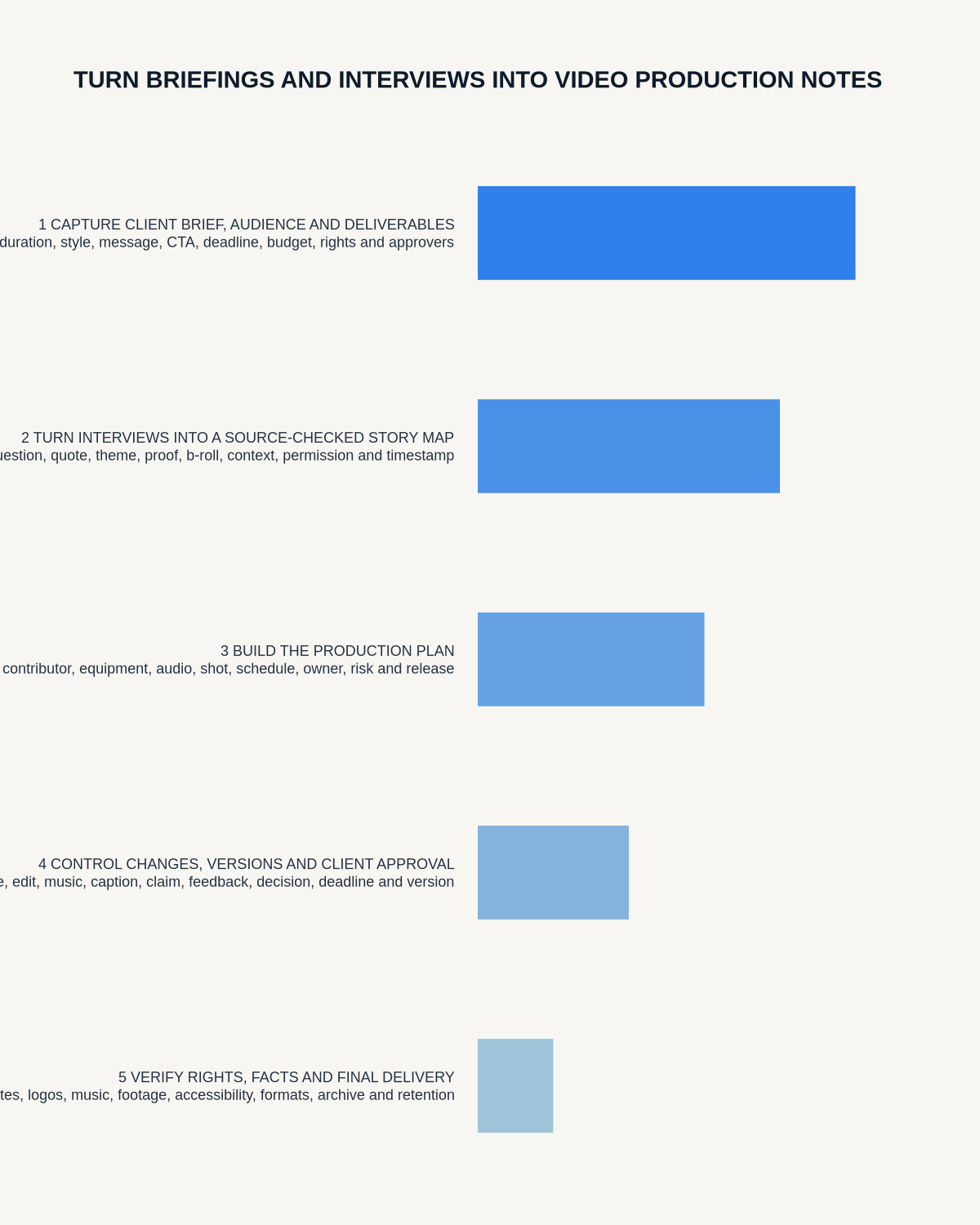
Video production creates several records from the same conversation. A client briefing becomes a production brief. A contributor interview becomes source material and selected quotations. A location conversation becomes a scout report. An edit call becomes a versioned change list. Problems begin when the raw transcript is mistaken for any of those controlled records.
An AI voice recorder for videographers can make speech searchable and reduce missed detail, but it should sit at the start of a production-record chain—not at the end.
Use a three-record architecture
- Source record: the authorised audio and any reference video.
- Working record: corrected transcript, time markers and extraction notes.
- Controlled record: approved brief, release tracker, shot list, camera report, edit log or sign-off.
Each record has a different purpose and audience. Raw contributor audio may require tighter access than a final production action list. Define which copy is authoritative and when temporary copies will be deleted.
Turn the client briefing into a message map
Capture the discussion under five headings:
- Audience: who must understand or feel something?
- Change: what should viewers know, believe or do afterwards?
- Evidence: which people, scenes, facts or demonstrations support the message?
- Constraints: brand, legal, safety, platform, duration and budget limits.
- Approval: who decides and which version is submitted?
Words such as “cinematic” and “authentic” are not enough. Ask what they mean in observable choices: pace, camera movement, performance style, lighting, location and sound.
Handle contributor interviews as evidence, not text inventory
A searchable transcript can help locate themes and quotations, but the strongest line may depend on the preceding question or later qualification. For any quotation considered for the edit, record:
- Speaker and interview reference.
- Audio or video timecode.
- Full surrounding context.
- Factual claim requiring verification.
- Restriction, anonymity or sensitivity.
- Release and usage status.
Check selected wording against the original recording. Do not join phrases in a way that changes meaning, and do not treat recording permission as a complete contributor release.
Create a scout note that feeds production
During an authorised location scout, record short observations about access, light, noise, power, public movement, security, weather, holding areas and backup positions. Speak a clear status:
- Observed: seen or heard directly.
- Confirmed: approved by the responsible person.
- Assumed: used temporarily.
- Action: requires a named follow-up.
Move confirmed details into the call sheet, risk assessment, equipment plan and schedule. A transcript should not become the only record of a safety or access requirement.
Use spoken markers on the shoot
Short notes can preserve pickups, continuity issues and clean takes without interrupting production. Use a repeatable format:
Project — date — camera/card — scene/interview — take or time — observation — required action.
Example: “Client film, 21 July, camera B card 4, interview two, recruitment answer. Clean section begins after alarm. Need close-up of hands before wrap.”
Transfer the marker to the camera report or media log before cards are cleared. General transcription is not a substitute for embedded timecode or disciplined media management.
Run edit feedback through a change register
Every comment should identify:
- Exact edit version.
- Timecode or asset.
- Problem to solve.
- Requested change.
- Mandatory, optional or outside-scope status.
- Owner and deadline.
- Approver for closure.
When two reviewers disagree, keep both views visible and assign a decision owner. Do not let an AI summary blend conflicting instructions into an unusable compromise.
Permissions and sensitive productions
Client calls and interviews may include personal stories, unreleased products, commercial plans or confidential locations. Explain recording, control access and minimise unnecessary information. Use the required contributor releases, location agreements, music licences and client contracts for publication and usage rights.
Where a production is sensitive, decide whether the full transcript is needed at all. A checked quotation log or action list may be the safer retained record.
How NERALVO Halo may support the production chain
Check whether NERALVO Halo fits this workflow provides portable NOTE recording for briefs, permitted interviews, scouts and production markers, plus supported CALL capture for compatible calls where recording is disclosed and permitted. It includes 64GB local storage, up to 35 hours of recording, Bluetooth sync with DOWAY and one year of DOWAY Max from activation.
It supports speech capture and organisation; it does not replace lavalier microphones, boom microphones, field recorders or monitored production sound required for the final programme.
Production handover test
- Can the editor identify the exact source and timecode for each selected quotation?
- Are releases and restrictions visible without opening a transcript?
- Are location actions reflected in the current production documents?
- Have shoot markers entered the media log?
- Does every edit comment name a version and timecode?
- Are final approvals attached to the exact delivered version?
- Are temporary audio and transcript copies under a retention decision?
The best AI-assisted workflow leaves the next person with a clearer production record, not a larger pile of audio. Source speech becomes valuable when it is verified, assigned to the correct version and transferred into the document that actually controls the work.
Workflow choice matrix for How Videographers Can Turn Briefings and Interviews into Production Notes
Choose the method that protects the source and reduces downstream correction. The table makes the non-hardware options explicit.
| Condition | Preferred route | Why |
|---|---|---|
| High-risk or mixed work | Governed hybrid | Separate capture, review, approval and retention rather than trusting one tool. |
| Recording is refused, prohibited or unnecessary | Manual notes / no recording | Respecting the boundary is the correct workflow, not a product failure. |
| In-person, mobile or unreliable-connectivity work | Dedicated recorder | Independent capture and a recoverable local source are usually more resilient. |
| Repeatable remote work with approved integrations | Cloud software | Automation and central collaboration may outweigh device independence. |
Related guides
See the guides for photographers, content creators and designers.
More useful guides
On this page
Related guides
See whether Halo fits this workflow
Review the NERALVO Halo specifications, included services, delivery information and current offer only after completing the guide.
Found an error or an out-of-date claim? Email support@neralvo.com with the article address and a supporting source.