The 60-second verdict
Quick answer: translators and interpreters can use an authorised AI voice recorder to preserve source speech, assignment context and terminology decisions. Source audio, machine transcript, working translation and final professional output must remain separately labelled and controlled.
Best fit: Translators and Interpreters who need recoverable audio and human-verified notes in an authorised workflow. Use another method when: recording is prohibited, a participant declines or the approved process requires manual notes.
Evidence basis and limits
- Decision factors covered: Maintain four language layers; Create a complete assignment brief; Use a terminology decision log.
- Evidence rule: Claims are weighted by consequence: capture failure, changed meaning, access and recovery matter more than polished wording.
- Boundary: Examples and workflow recommendations must be tested with representative recordings, the intended users and the actual approval process before rollout.

Language work depends on distinctions that automated systems may smooth away: register, hesitation, ambiguity, cultural reference, technical terminology and speaker relationships. A grammatically clean transcript can still misrepresent the source.
Maintain four language layers
| Layer | Purpose |
|---|---|
| Source audio | Original speech, delivery and context |
| Machine transcript | Searchable draft with possible omissions or normalisation |
| Working translation or notes | Professional alternatives, queries and decisions |
| Final approved output | Reviewed deliverable for the agreed purpose |
Create a complete assignment brief
Record source and target languages, audience, purpose, medium, subject, register, client terminology, prohibited terms, names, pronunciation, references, delivery format, confidentiality, processing restrictions and approval route.
Use a terminology decision log
For each material term, record the source wording and timestamp, possible equivalents, client or specialist preference, register implications, approved translation, rejected alternatives, reviewer and reason. A glossary states the answer; the decision log preserves why.
Expect machine output to alter meaning
- Grammar may be normalised.
- Repetition or hesitation may be removed.
- Unfamiliar terms may be replaced with familiar words.
- Code-switching may be omitted.
- Speakers may be merged.
- Punctuation may create false certainty.
- Names and numbers may be converted incorrectly.
- Inaudible passages may appear fluent.
Prepare interpreting assignments with a speaker map
Capture participants and roles, subject, expected sequence, acronyms, names, documents, interpreting mode, technical setup, turn-taking, sensitive topics and what to do if communication breaks down.
Preserve ambiguity until it is resolved
For a phrase with several plausible meanings, retain source wording, timestamp, alternatives, context needed, query and final decision. Do not force a choice because the machine selected one word.
Verify high-risk details manually
- People and organisation names.
- Products, places and addresses.
- Dates, times, currencies and measurements.
- Legal citations and medicines.
- Technical terminology and abbreviations.
Where a speaker spells or corrects a term, preserve that moment rather than discarding it as repetition.
Use a controlled review workflow
- Confirm recording and processing are permitted.
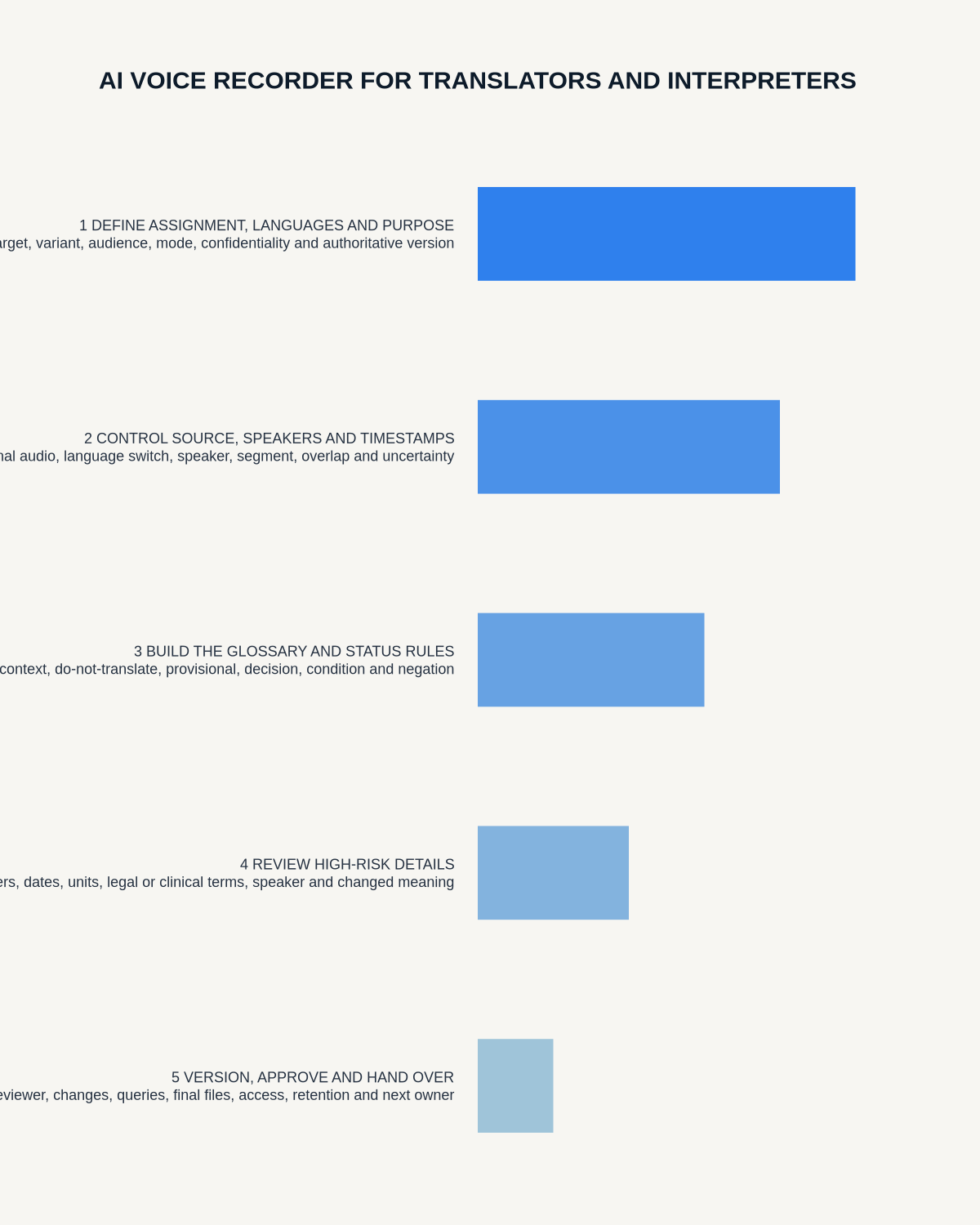
- Create the assignment brief.
- Preserve the original audio with a unique reference.
- Generate the machine transcript as a separate version.
- Mark uncertain passages and speaker changes.
- Build the terminology decision log.
- Create the professional output.
- Complete bilingual or subject-matter review.
- Deliver only the approved version.
- Retain or delete sources under the client agreement.
Protect confidential assignments
Do not upload legal, medical, commercial or personal content unless the client and organisation approve the complete processing route. A short de-identified terminology extract may be safer than a full recording.
Official source: the Chartered Institute of Linguists advises language professionals using AI tools to protect sensitive client information and review a platform’s data-security arrangements. See the CIOL’s guidance on AI productivity tools for translators.
Where NERALVO Halo fits
Check whether NERALVO Halo fits translators and interpreters work can support approved briefings, terminology sessions and source review through NOTE mode, supported CALL capture, 64GB local storage and DOWAY transcription and translation tools. Test the exact languages, accents and terminology required.
Cloud software, a dedicated recorder or manual notes?
For Translators and Interpreters, the right answer changes with the setting. This matrix deliberately gives each method a situation where it can be the strongest choice.
| Situation | Best starting point | Reason |
|---|---|---|
| scheduled remote meetings | Cloud meeting software | Calendar automation and shared integrations are usually the strongest advantage. |
| in-person or mobile work | Dedicated recorder | Independent capture reduces reliance on an active phone or laptop. |
| recording is refused or prohibited | Manual notes or an approved alternative | The boundary takes priority over convenience. |
| mixed online and offline work | Governed hybrid | Use each method only in the setting it actually fits. |
Frequently asked questions
Can machine translation be delivered without review?
Not where professional accuracy, nuance or accountability matters.
Should ambiguity be resolved automatically?
No. Keep alternatives visible until context or a reviewer resolves them.
Can source audio be deleted immediately?
Only after required verification and under the agreed retention process.
Should the final output preserve every hesitation?
That depends on the assignment. Verbatim, interpreting and edited translation outputs require different conventions.
Can AI identify the correct register?
It can suggest one, but the professional must assess audience, purpose and cultural context.
Authoritative guidance and related reading
- Chartered Institute of Linguists
- Institute of Translation and Interpreting
- How to Manage Code-Switching in AI Transcripts
Final language-quality checklist
- Original source preserved.
- Machine and professional outputs separated.
- Purpose and audience clear.
- Terminology decisions documented.
- Ambiguity visible.
- Names and figures checked.
- Confidentiality and supplier controls reviewed.
- Final output professionally reviewed.
Bottom line: an AI voice recorder can reduce preparation and search time for translators and interpreters, but quality still depends on source fidelity, informed language decisions, confidentiality and appropriate professional review.
Related AI voice recorder guides
On this page
More in this topic: Heritage, service and creative work
Show 8 closely related guides
- AI Voice Recorder for Museum Curators: Better Oral Histories and Collection Evidence
- AI Voice Recorder for Genealogists: Better Family Interviews and Source Control
- AI Voice Recorder for Funeral Directors: Clearer Family Arrangements and Service Notes
- AI Voice Recorder for Faith Leaders: Pastoral Notes, Sermons and Community Follow-Up
- AI Voice Recorder for Chefs: Better Recipe Development and Kitchen Briefings
- AI Voice Recorder for Salon Owners: Better Consultations and Team Handover
- How Tour Guides Can Build Better Tours from Research and Rehearsal Notes
- AI Voice Recorder for Landscapers: Garden Briefs, Site Surveys and Maintenance Notes
Related guides
See whether Halo fits this workflow
Review the NERALVO Halo specifications, included services, delivery information and current offer only after completing the guide.
Found an error or an out-of-date claim? Email support@neralvo.com with the article address and a supporting source.