The 60-second verdict
Quick answer: an internal AI voice-recording FAQ should tell staff exactly who may record, which purposes are approved, when recording is prohibited, what must happen before capture, how AI output is checked, where records are stored, when they are deleted and how incidents or exceptions are escalated.
Decision focus: use the method below only where it produces a recoverable source, a verifiable output and a clear next action. If one of those fails, change the workflow rather than trusting a polished summary.
Evidence basis and limits
- Decision factors covered: Who is this FAQ for, and what is the approved purpose?; Who may use an AI voice recorder?; When may I record?.
- Evidence rule: The decision is based on the complete capture-to-action workflow, not a single feature or marketing accuracy percentage.
- Boundary: Examples and workflow recommendations must be tested with representative recordings, the intended users and the actual approval process before rollout.
General instructions such as “follow data-protection rules” are not enough for day-to-day decisions. Staff need a short decision route, practical examples, named responsibilities and links to the full policy.

Who is this FAQ for, and what is the approved purpose?
State which roles the guidance applies to and which activities are approved. Examples may include authorised internal meetings, site observations, personal spoken drafts or customer calls where the organisation’s process permits recording.
Also state the boundary of approval. Permission for routine project meetings does not automatically extend to disciplinary, grievance, medical, safeguarding, legally privileged, security-sensitive or highly confidential discussions.
Who may use an AI voice recorder?
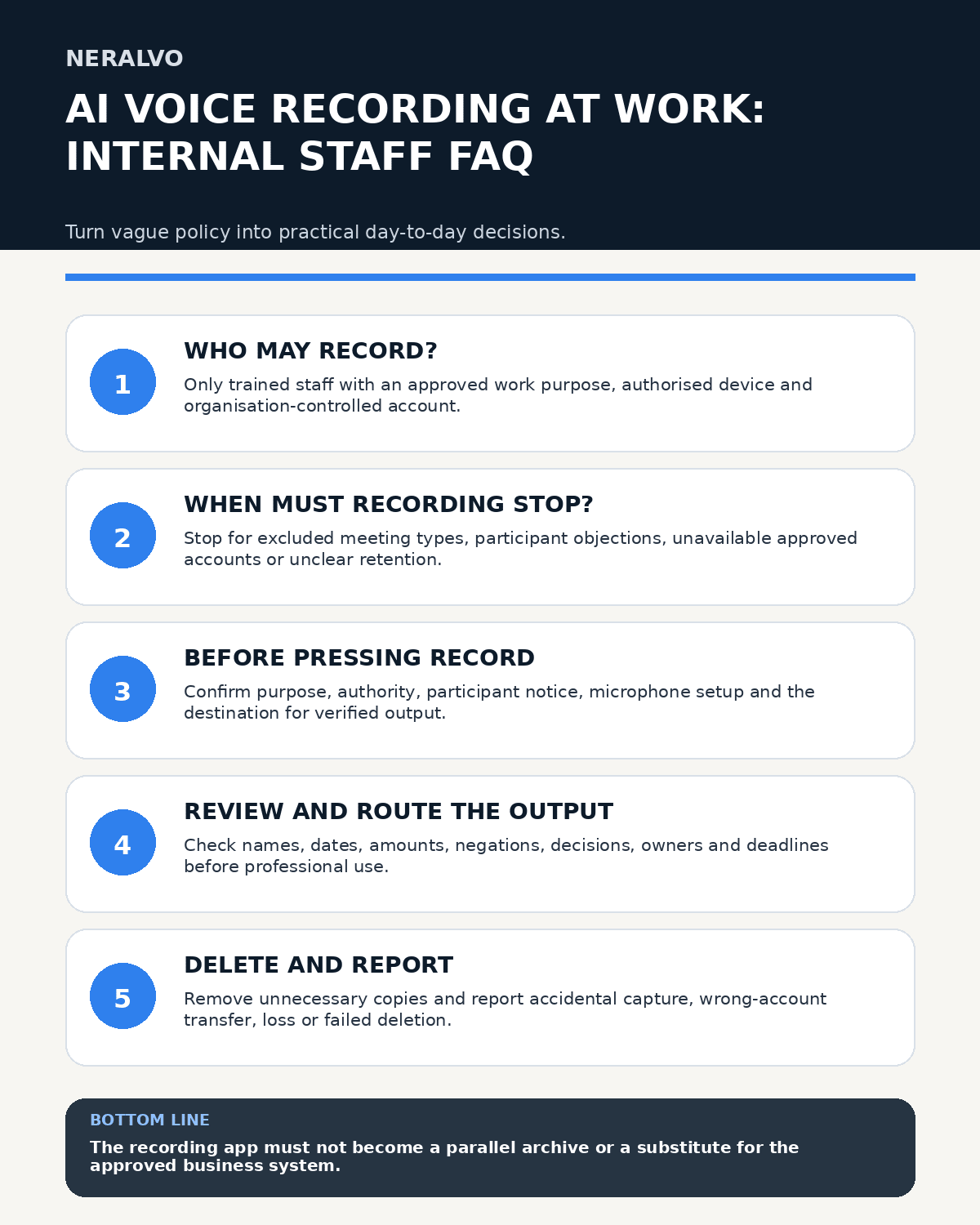
Only trained staff with an approved work purpose, authorised device and organisation-controlled account should use the workflow. Access should be role-based and reviewed when duties change or staff leave.
When may I record?
Record only when the activity falls within the approved policy and the recording is necessary for a defined outcome, such as authorised meeting notes, site observations or a personal spoken draft that contains no excluded information.
When should I not record?
- The meeting or task is outside the approved scope.
- A participant objection means recording must stop or pause.
- The approved account, device or storage route is unavailable.
- The discussion contains excluded or specially controlled information.
- A less intrusive method will meet the purpose.
- There is no clear owner, destination or deletion point.
Unless specifically authorised, prohibited uses should include covert recording, automatic emotion or performance assessment, personal accounts, passwords or payment credentials, unreviewed AI decisions and indefinite retention.
Use the “May I record?” decision tree
- Is there a defined work purpose? If not, do not record.
- Is this activity authorised? If uncertain, ask the designated owner.
- Will other people be captured? Follow the participant-information and authority process.
- Does the discussion include excluded information? Pause, use the exception route or choose another method.
- Is the approved device, account and destination available? Do not improvise with personal tools.
- Can capture be stopped if circumstances change? If not, use another note method.
What must I do before pressing record?
- Identify the purpose and record owner.
- Check that the activity is authorised.
- Use the approved device, account and application.
- Give the required participant explanation.
- Identify excluded topics and the pause method.
- Check battery, storage and microphone placement.
- Know where the verified record will be filed.
- Know when the source audio should be deleted.
What should I do during recording?
Keep the device under physical control, monitor whether capture is active and stop when the authorised purpose ends. Pause for breaks, unrelated discussion and sensitive sections where required. Repeat the essential explanation for late arrivals.
Spoken labels such as “decision,” “action,” “owner,” “deadline,” “not agreed” and “subject to approval” can improve later review, but they do not remove the need for verification.
Can I use a personal app or email account?
No. Personal accounts, consumer messaging and unapproved storage create confidentiality, continuity, access and deletion risks. Work recordings should remain within the organisation-controlled route.
What happens after recording?
- Transfer the file to the approved account or workspace.
- Confirm the transferred copy opens correctly.
- Generate only the permitted transcript or structured output.
- Correct names, dates, amounts, technical terms and negations.
- Move verified decisions and actions into the normal business system.
- Restrict access and remove unnecessary personal information.
- Delete duplicate files and raw audio at the approved point.
- Document any formal retention requirement, exception or incident.
The recording application should not become a second unmanaged archive or task list.
Does the transcript need checking?
Yes. Verify names, dates, amounts, technical terms, speaker attribution, negations, decisions, conditions, owners and deadlines. AI output should remain marked as a draft until reviewed.
Can I rely on the AI summary?
Not without checking material claims against the source or a corrected transcript. A polished summary can omit an objection, invent an owner or convert a proposal into a decision.
Where should actions and decisions go?
Move verified actions and records into the normal task, project, customer, HR or case system. The recording application should not become a parallel archive or task list.
Who is responsible for each stage?
- Recording user: follows the decision tree, explains recording, protects the device and checks the output.
- Meeting chair or process owner: confirms suitability, manages objections and approves the final record where required.
- Manager: confirms role-based need, training and compliance.
- Privacy, security or governance owner: maintains approved uses, controls and escalation advice.
- System administrator: manages accounts, configuration and offboarding.
- Records owner: defines retention, deletion and formal-record requirements.
How should exceptions work?
An exception request should identify the proposed purpose, participants, information, device, storage route, safeguards, duration and approver. Approval should be recorded before use and expire or be reviewed on a stated date.
Repeated exceptions may indicate that the policy or workflow needs formal review.
When should audio be deleted?
Delete source audio at the approved point once the capture purpose and any formal retention requirement have ended. Remove unnecessary copies from recorder, phone, application, downloads, email, shared storage and integrations.
What should I report?
Report accidental recording, wrong-account transfer, lost devices, unauthorised sharing, failed deletion, unexpected participant capture, suspected access and serious transcript errors promptly. Do not conceal the issue or delete evidence contrary to incident instructions.
Report near misses as well, such as almost uploading to a personal account or discovering an excluded topic before capture began. Near misses reveal weak controls before harm occurs.
How is competence maintained?
Training should cover the decision tree, participant explanations, refusal handling, device setup, transcript verification, secure sharing, retention, deletion and incident scenarios. Keep completion, assessment and refresher records.
How does the tested NERALVO Halo setup fit?
View Halo specifications against the evidence checklist provides 64GB local storage, NOTE mode, supported CALL recording subject to phone and application compatibility, and up to 35 hours of recording under suitable conditions. It connects by Bluetooth to DOWAY for transcripts, summaries, speaker-separated notes, templates, translations, mind maps and exports, with one year of DOWAY Max included.
Staff guidance should describe the organisation’s tested phone, case, application, account, transfer, storage and deletion route rather than relying only on product specifications.
When should the FAQ be reviewed?
Assign an owner, version and review date. Trigger an earlier update after changes to hardware, firmware, phone compatibility, AI processing, account setup, supplier terms, internal policy, law, incidents or approved uses.
Workflow choice matrix for AI Voice Recording at Work
Choose the method that protects the source and reduces downstream correction. The table makes the non-hardware options explicit.
| Condition | Preferred route | Why |
|---|---|---|
| Repeatable remote work with approved integrations | Cloud software | Automation and central collaboration may outweigh device independence. |
| In-person, mobile or unreliable-connectivity work | Dedicated recorder | Independent capture and a recoverable local source are usually more resilient. |
| Recording is refused, prohibited or unnecessary | Manual notes / no recording | Respecting the boundary is the correct workflow, not a product failure. |
| High-risk or mixed work | Governed hybrid | Separate capture, review, approval and retention rather than trusting one tool. |
Frequently asked questions
Can I record because it is quicker than taking notes?
Convenience alone is not enough. The activity must be authorised, necessary for a defined purpose and supported by the approved workflow.
Can I share a transcript through ordinary messaging apps?
Only if that route is explicitly approved for the information involved. Use organisation-controlled storage and sharing by default.
What happens when an employee leaves?
Remove access, recover organisation-owned devices, transfer required records and handle remaining copies through the offboarding process.
Can recording continue after someone objects?
Pause first and follow the applicable policy, authority and alternative process.
Useful resources
- ICO data-protection principles
- What to Do When Someone Refuses to Be Recorded
- View Halo specifications against the evidence checklist
Staff quick-reference checklist
- Purpose defined
- Use authorised
- Participants informed
- Sensitive content controlled
- Approved device, account and storage ready
- Pause and refusal procedure known
- Transferred file tested
- Output verified and routed
- Retention and deletion completed
- Incident, near miss or exception recorded
Related guides
- How to Choose an AI Voice Recorder for Transcript Export
- How to Create a Recording Acceptance Test for Important Workflows
- How to Decide Whether an AI Voice Recorder Workflow Is Ready to Scale
- How to Use AI Voice Recording as a Reasonable Adjustment at Work
- How to Run a Quarterly Voice Recording Governance Review
On this page
Related guides
See whether Halo fits this workflow
Review the NERALVO Halo specifications, included services, delivery information and current offer only after completing the guide.
Found an error or an out-of-date claim? Email support@neralvo.com with the article address and a supporting source.