Reviewed and updated: 21 July 2026.
The 60-second verdict
A recorded process walkthrough can accelerate SOP drafting, but the transcript describes what one person said or did on one occasion. It does not automatically prove that the process is approved, safe, complete or current.
Decision focus: use the method below only where it produces a recoverable source, a verifiable output and a clear next action. If one of those fails, change the workflow rather than trusting a polished summary.
Quick verdict: capture the real process, separate standard steps from workarounds and judgement, verify every control against approved sources, test the draft with a competent user and publish only after accountable approval.
Evidence basis and limits
- Decision factors covered: Define the SOP scope first; Record a structured walkthrough; Separate process categories.
- Evidence rule: Claims are weighted by consequence: capture failure, changed meaning, access and recovery matter more than polished wording.
- Boundary: Examples and workflow recommendations must be tested with representative recordings, the intended users and the actual approval process before rollout.
Define the SOP scope first
State:
- Process name
- Purpose
- Start and end points
- Roles involved
- Systems and equipment
- Locations
- Inputs and outputs
- Risks and controls
- Applicable policy or regulation
- Process owner
A walkthrough without clear boundaries can mix several processes into one unusable document.
Record a structured walkthrough
Ask the subject-matter expert to explain:
- What triggers the process?
- What must be checked before starting?
- What is the first action?
- Which information or evidence is required?
- What decisions occur?
- What can go wrong?
- When must work stop or escalate?
- What proves completion?
- Where is the output stored?
- Who reviews or approves?
Record the screen, equipment or visual steps separately where audio alone cannot show the process.
Separate process categories
| Category | Treatment |
|---|---|
| Approved standard step | Include after source verification |
| Local workaround | Flag for owner review; do not normalise automatically |
| Expert judgement | Describe the decision criteria and escalation boundary |
| Exception | Document separately with authority and limits |
| Safety or compliance control | Verify against the authoritative policy |
| Personal preference | Exclude unless adopted as standard |
Use an SOP structure
- Title and document ID
- Purpose
- Scope
- Roles and responsibilities
- Definitions
- Prerequisites and required materials
- Safety, privacy and compliance controls
- Step-by-step procedure
- Decision points
- Exceptions and escalation
- Completion evidence
- Records and retention
- References
- Version, owner, approver and review date
Write observable steps
Each step should identify:
- One responsible role
- One clear action
- The system or tool used
- The input required
- The expected result
- The evidence created
- The next step or escalation
Avoid vague instructions such as “process the request correctly” or “use judgement as needed.”
Convert judgement into decision support
Where expert judgement is necessary, document:
- Information considered
- Thresholds or indicators
- Permitted options
- Authority limits
- Examples
- When a second opinion is required
- When the process must stop
Do not pretend a complex professional decision is a simple mechanical step.
Verify against authoritative sources
Check the draft against:
- Policy
- Legislation or regulation
- Manufacturer instructions
- System configuration
- Safety documentation
- Contract terms
- Quality standards
- Approved forms and templates
If the walkthrough conflicts with the source, resolve the conflict before publishing.
Test the SOP with a new user
- Select a competent person who did not write the draft.
- Provide the normal prerequisites.
- Ask them to complete the process using the SOP.
- Observe without coaching where safe.
- Record unclear steps, missing decisions and workarounds.
- Check the output and control evidence.
- Revise and retest.
For hazardous or regulated work, use an approved simulation or supervised test.
Control images and screenshots
Visuals should:
- Show the relevant field or equipment
- Remove personal or confidential information
- Match the current system version
- Use clear labels
- Include accessible text alternatives
- Have an owner for future updates
Workflow from recording to approved SOP
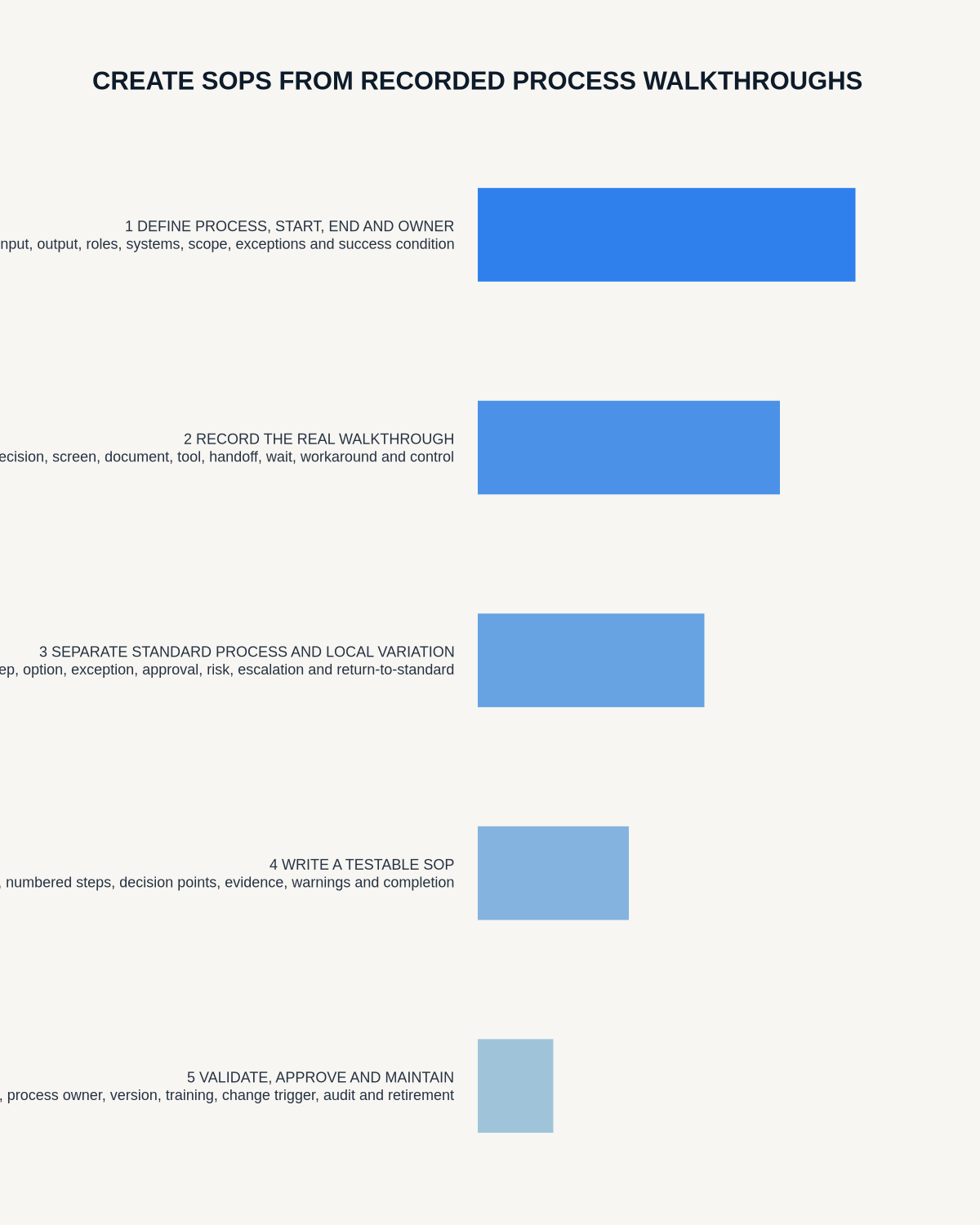
- Define scope and owner.
- Record the authorised walkthrough.
- Generate and correct the transcript.
- Classify standards, workarounds and judgement.
- Draft the SOP structure.
- Verify controls and references.
- Add visuals and decision support.
- Run user testing.
- Complete safety, quality, legal or privacy review.
- Obtain approval.
- Publish in the controlled repository.
- Train affected users.
- Set review triggers and archive superseded versions.
Common AI failures
- Turning a workaround into the official process
- Removing a safety warning as repetition
- Inventing a missing step
- Merging two alternatives
- Changing a role or authority
- Ignoring a later correction
- Creating a neat sequence where the process is conditional
- Using obsolete terminology from the transcript
Measure SOP quality
- Successful first-time completion
- Clarification requests
- Deviations and workarounds
- Control failures
- Training time
- Errors or incidents
- Time to update after a process change
- Overdue reviews
Where NERALVO Halo fits
Check whether NERALVO Halo fits this workflow can capture approved process walkthroughs to 64GB local storage and synchronise recordings to DOWAY for transcripts, summaries and templates. One year of DOWAY Max is included with the current package.
Use those outputs to accelerate drafting, then verify the process through the organisation’s controlled SOP lifecycle.
Workflow choice matrix for How to Create SOPs from Recorded Process Walkthroughs
Choose the method that protects the source and reduces downstream correction. The table makes the non-hardware options explicit.
| Condition | Preferred route | Why |
|---|---|---|
| High-risk or mixed work | Governed hybrid | Separate capture, review, approval and retention rather than trusting one tool. |
| Recording is refused, prohibited or unnecessary | Manual notes / no recording | Respecting the boundary is the correct workflow, not a product failure. |
| In-person, mobile or unreliable-connectivity work | Dedicated recorder | Independent capture and a recoverable local source are usually more resilient. |
| Repeatable remote work with approved integrations | Cloud software | Automation and central collaboration may outweigh device independence. |
Frequently asked questions
Can AI write an SOP from one recording?
It can create a draft, but the process owner must verify scope, controls, exceptions and authority.
Should workarounds be documented?
Record them for review, but do not approve them automatically. They may reveal a process problem or an unauthorised practice.
Can a transcript replace process observation?
No. Audio may miss visual actions, system behaviour and tacit decisions.
When should the SOP be reviewed?
After policy, system, equipment, regulation, incident or process changes and on the scheduled review date.
Final checklist
- Scope and owner defined
- Walkthrough authorised
- Transcript corrected
- Standards, workarounds and judgement separated
- Authoritative sources checked
- Steps are observable
- Exceptions and escalation documented
- User test completed
- Required reviews and approval completed
- Version and review triggers assigned
- Superseded version archived
A strong AI-assisted SOP is faster to draft because the real process has been captured—not because control, testing and approval have been removed.
Related AI voice recorder guides
Workflow map
Visual map for How to Create SOPs from Recorded Process Walkthroughs
- Define the decisionState the question, required output and acceptance rule.
- Capture the sourceUse the approved route and preserve context, identity and limitations.
- Verify material detailsReplay or check names, numbers, negatives, decisions and actions.
- Move into the real recordAssign an owner, retain evidence and apply the deletion rule.
On this page
Related guides
See whether Halo fits this workflow
Review the NERALVO Halo specifications, included services, delivery information and current offer only after completing the guide.
Found an error or an out-of-date claim? Email support@neralvo.com with the article address and a supporting source.